The EPFO Passbook is a digital statement of your Provident Fund (PF) account that displays all PF transactions in one place. After completing EPFO login with your UAN, members can quickly view their EPFO member passbook through the official portal.
It allows employees to monitor monthly PF contributions made by both the employer and the employee, helping them keep track of their total savings.
What Is EPFO Member Passbook?
The EPFO Member Passbook is an online statement that shows complete details of your Provident Fund account, including:
- Monthly PF deposits
- Employee and employer contributions
- EPS (pension) contribution details
- Interest added to your account
- Total available PF balance
It functions just like a traditional bank passbook, but you can access it anytime online through the EPFO Unified Portal.
Details Available in EPFO Passbook
Your EPFO passbook provides complete information about your Provident Fund account, such as:
- Employee’s contribution (generally 12% of basic salary)
- Employer’s contribution (usually 3.67%)
- Contribution made towards EPS (pension scheme)
- Interest credited on the PF amount
- Month-wise record of deposits
- Total PF balance available
These details help members easily track and understand the growth of their PF savings over time.
EPFO Passbook Login – How to Check Online
To view your UAN passbook online, simply follow these steps:
- Complete EPFO login using your UAN credentials.
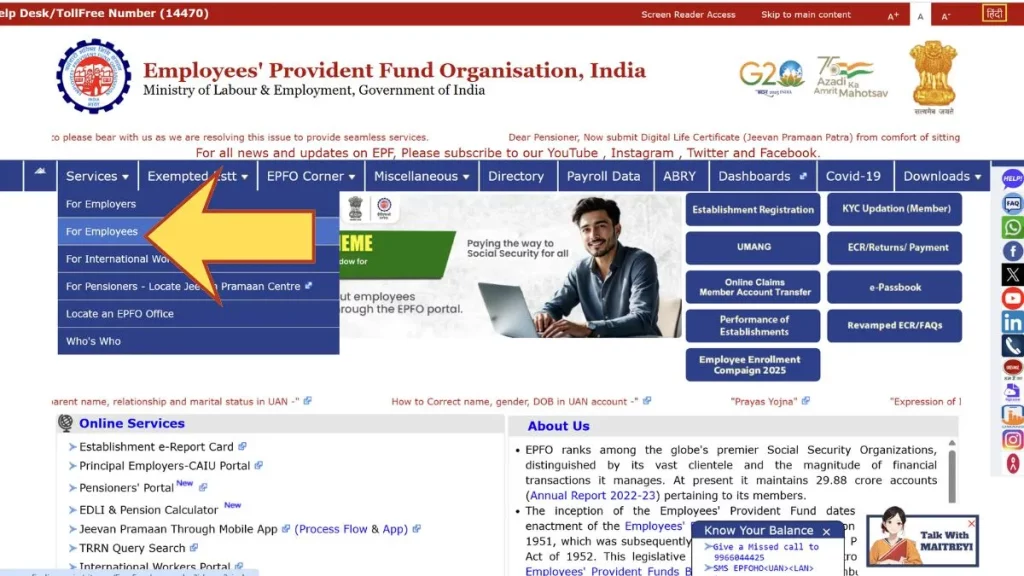
- Navigate to Services → For Employees.
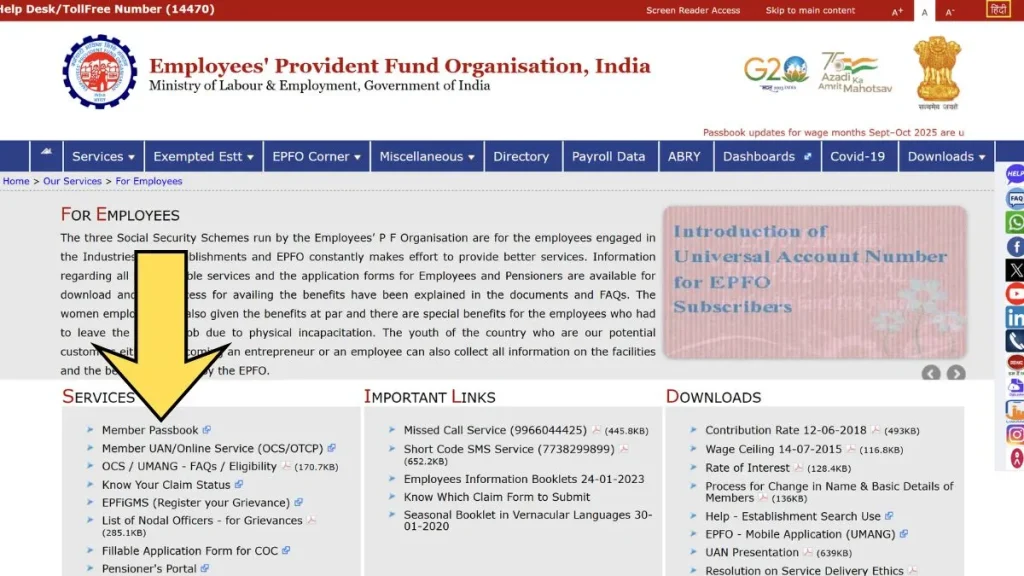
- Select Member Passbook from the options.
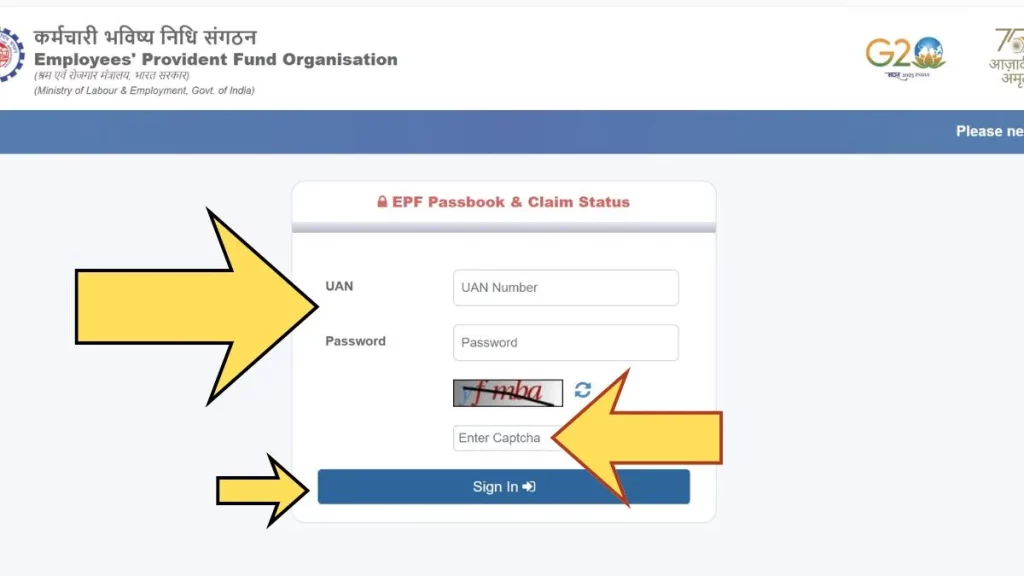
- Enter your UAN and password to log in.
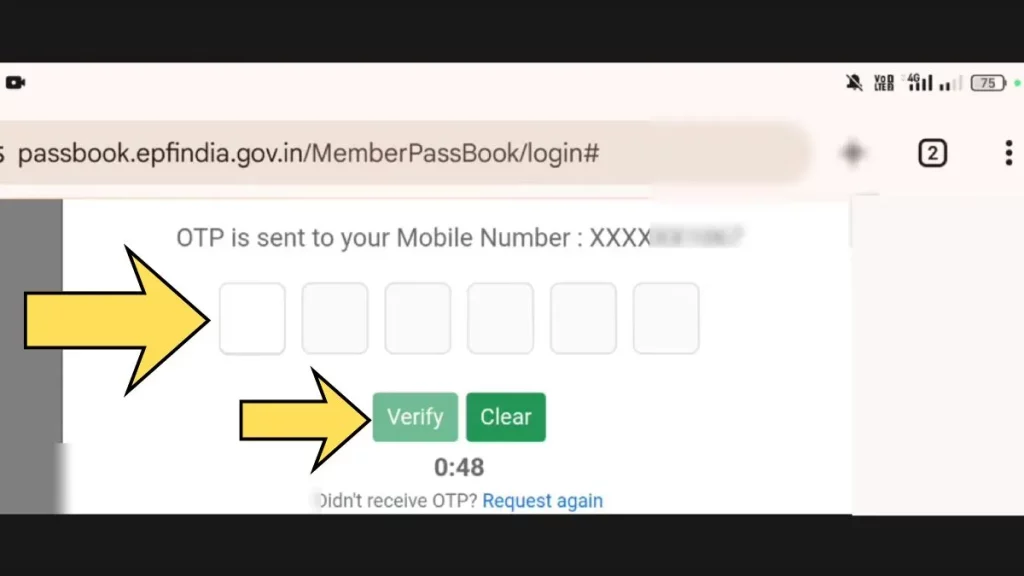
- Verify the OTP sent to your registered mobile number.
Once logged in successfully, your UAN passbook will be displayed, allowing you to check all PF transaction details.
Difference Between Employee & Employer Contribution
In the EPFO passbook section, you will notice separate columns showing different types of contributions:
| Contribution Type | Description |
|---|---|
| Employee Share | 12% amount deducted from the employee’s basic salary |
| Employer Share | Contribution made by the employer |
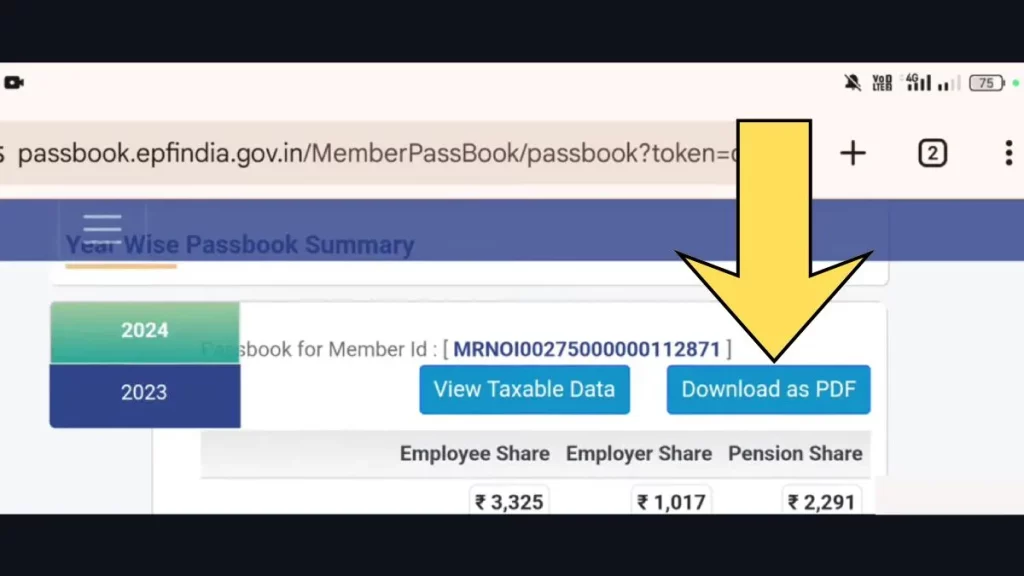
| Pension Share (EPS) | A portion of the employer’s contribution allocated to the pension scheme |
All these contributions combined form your total Provident Fund (PF) balance.
Easy Download The EPFO Passbook PDF
Easy Download the EPFO Passbook PDF
You can quickly download your EPFO Passbook PDF online by following these simple steps:
- Visit the official EPFO passbook portal.
- Log in using your UAN and password.
- Complete OTP verification on your registered mobile number.
- Select your PF Member ID.
- Click on the Download Passbook PDF option.
Once downloaded, you can save or print the PDF for future reference.
Why EPFO Passbook Is Important?
The EPFO passbook plays a vital role in managing your Provident Fund account. It allows you to:
- Check your PF balance anytime online
- Confirm that your employer is depositing contributions regularly
- Monitor month-wise PF payments
- Plan withdrawals or claim settlements effectively
- Ensure transparency and accuracy in your PF records
It is one of the most valuable online services accessible after completing EPFO login on the official portal.
EPFO Passbook Claim Status – Check PF Withdrawal & Claim Updates Online
Check EPFO Passbook Claim Status – Quick & Easy Steps
Follow these simple bullet points to check your EPFO Passbook Claim Status online:
- Visit the official EPFO member portal.
- Login using your UAN and password.
- Go to Online Services section.
- Click on Track Claim Status.
- Select your claim request to view the latest update.
You Can See Status Like:
- Under Process – Claim is being verified.
- Settled – Amount transferred to your bank account.
- Rejected – Claim declined due to errors.
- Pending at Employer – Waiting for employer approval.
Make sure your UAN is active and KYC details are updated for smooth processing.
How Long Does EPFO Claim Settlement Take?
Generally, EPFO claims are settled within 7 to 20 working days, depending on verification and employer approval. If Aadhaar, PAN, and bank details are correctly linked, processing is usually faster.
If your EPFO passbook claim status shows “Under Process” for a long time, you can raise a grievance through the EPFO grievance portal.